

No results found. Try a different search term.
Sections
Registration
Can I register?
Yes. You may register if you are 18 years or older and legally allowed to participate in online gambling under the laws of El Salvador. By registering, you confirm that you comply with all applicable local regulations.
How do I create an account on Gana777?
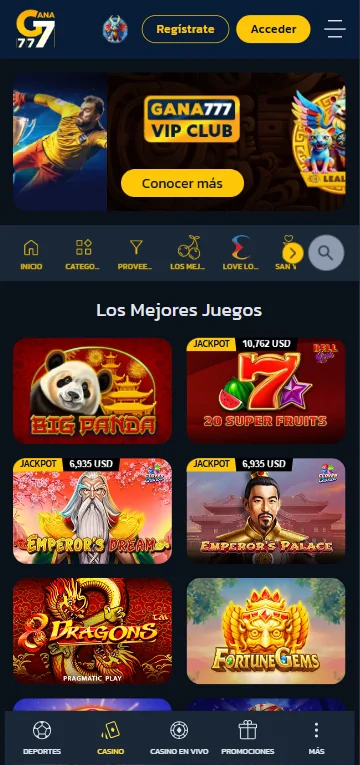
Click the Register button in the top-right corner of the page.
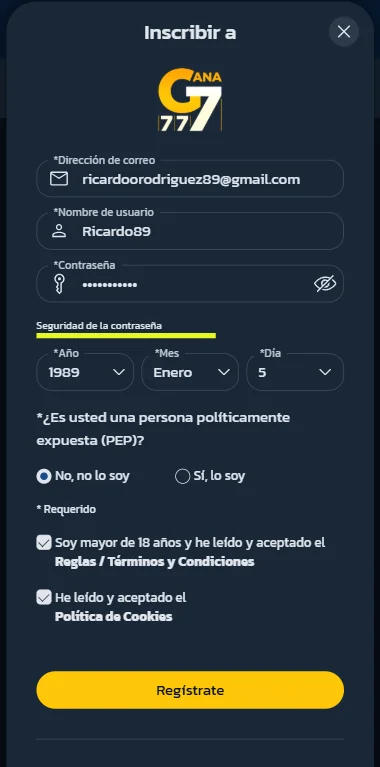
Fill in all required details, confirm that you accept the Terms and Conditions and Cookie Policy.
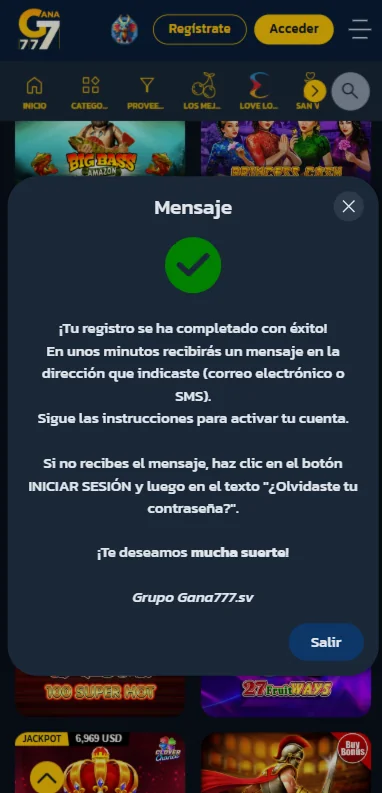
Then click the Register button at the bottom, once completed successfully, you will see a confirmation message on your screen.
How can I activate my account at Gana777?
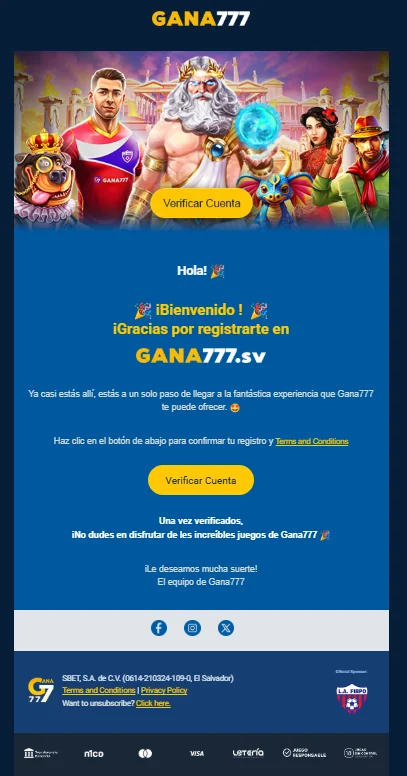
After registration, you will receive an activation link via email or SMS. Click the link to activate your account. If the link expires, you may request a new one through the login page or contact Customer Support.
How can I validate my account at Gana777?
To verify your account on GANA777, you need a device with a camera (mobile phone, laptop, tablet, or other device) and a valid form of identification — a national ID card or driver's license. Before taking photos of your document, enable camera access in your device or browser settings. Once access is granted, follow the on-screen instructions:
- Place the front side of your document inside the on-screen frame so the entire image is clearly visible.
- Repeat the process for the back side of the document.
- Position your face within the selfie frame and take a photo.
The system will process the submitted images. If any photo is not sufficiently clear, you will be asked to retake it so the images are legible. After successful processing, you will receive a notification confirming your account verification.
What if I haven't received the email confirmation link?
Please check your spam or junk folder. If you still cannot find the message, try registering again or contact our Customer Support via Live Chat.
Can I have more than one account?
No. Each player is allowed to have only one account. Multiple accounts are strictly prohibited and may result in suspension or closure.
How can I contact you?
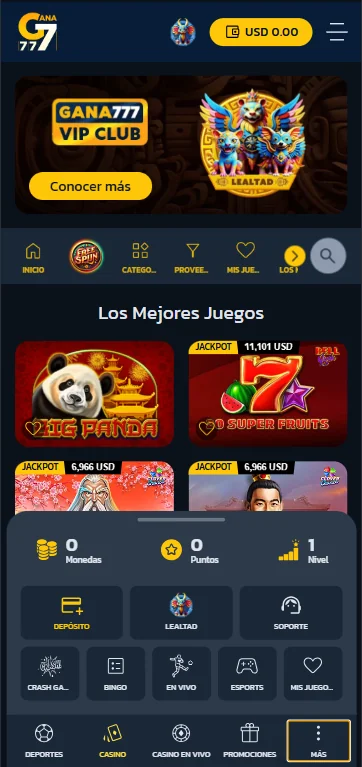
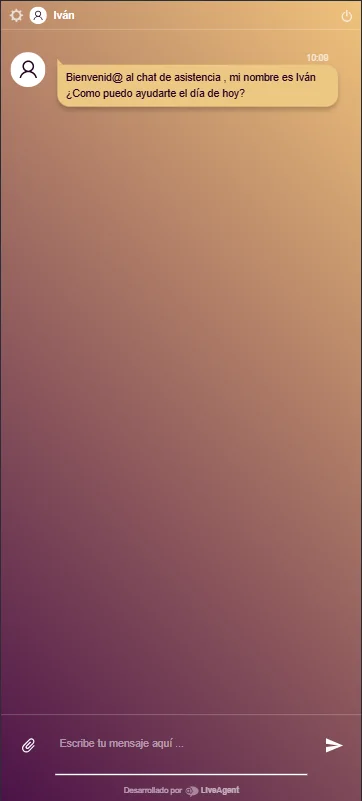
For any issue or problem that may occur, the Live Chat feature is available to communicate with our support team.
To start the chat, click on more and then choose support.
My account
How do I log in?
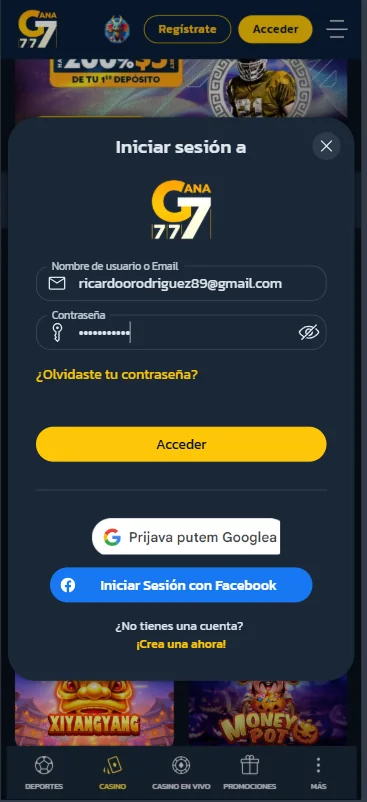
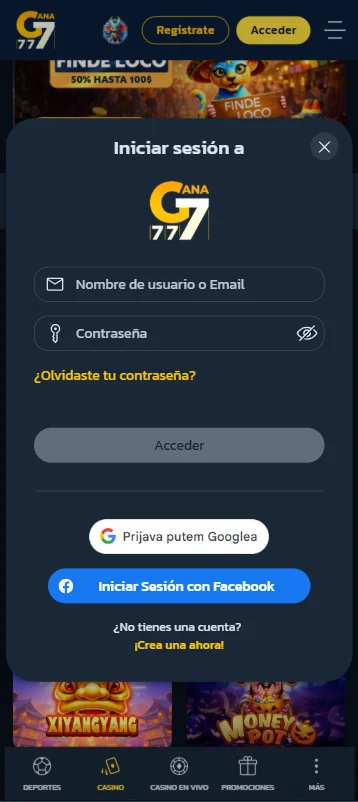
To sign in to your account, select Log in in the top-right corner of the page.
Provide your registered username or email address and password, then confirm by clicking Log in.
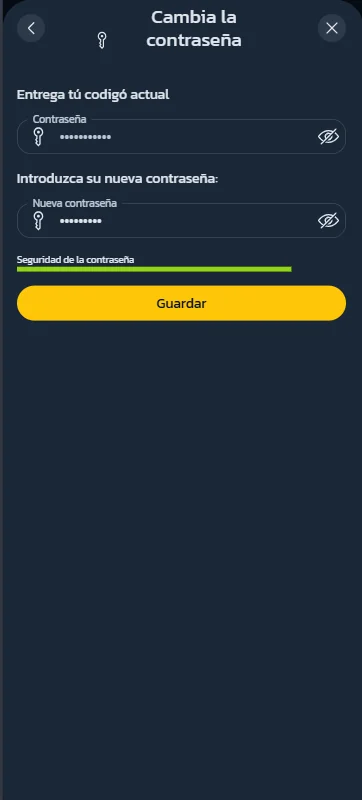
How can I change my password?
To change your password, you must be logged in to your account.
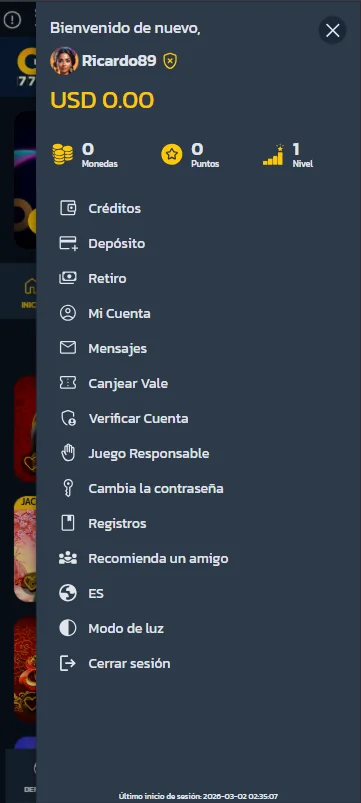
Click on your username in the top-right corner, then select Change Password from the menu on the left.
Enter your current password and then choose and confirm your new password.
How can I reset my password?
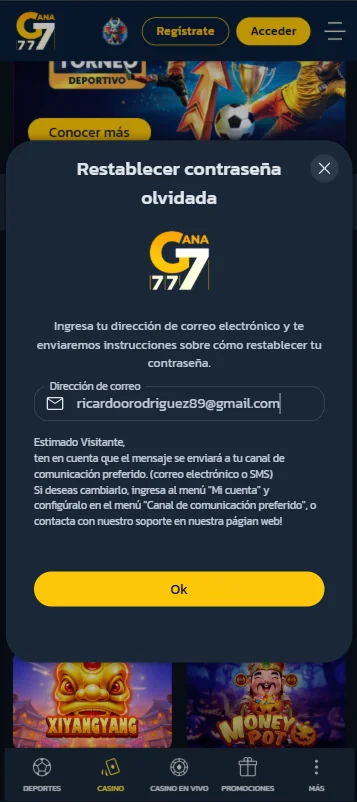
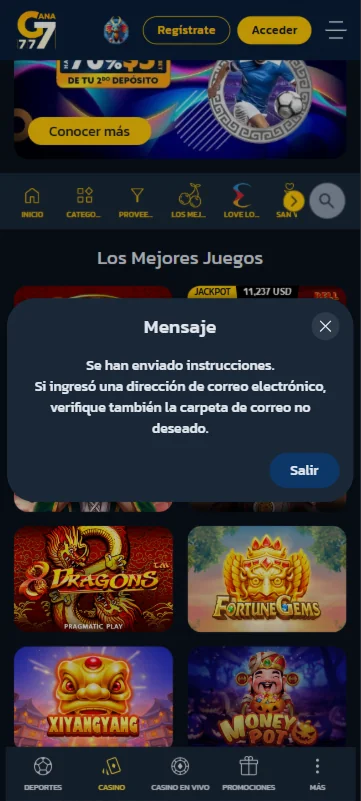
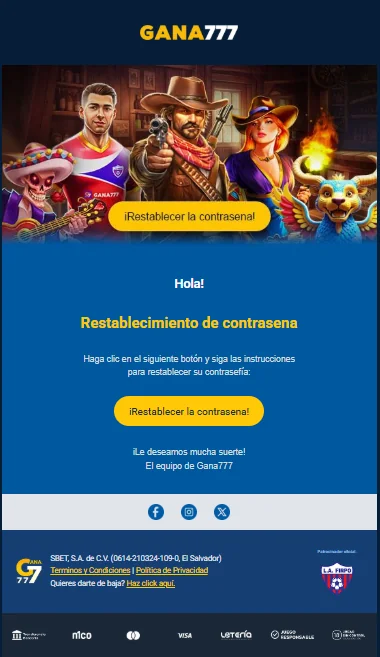
If you have forgotten your password, click Log in in the top-right corner and select Forgot your password? Enter your email address, and you will receive instructions on how to reset your password.
Is my personal data safe with Gana777?
Yes. Gana777 is committed to protecting your personal data and ensuring the highest level of security.
All personal information is processed in compliance with applicable data protection regulations, including GDPR.
What happens if I lose my internet connection during the game?
If your internet connection is interrupted during a game, the game will generally continue running on the server.
In some cases, you may be required to log in again once your connection is restored. After reconnecting, you can resume your game.
For slot games and individual table games, gameplay is automatically paused while there is no user activity, allowing you to continue once the connection is re-established.
Payment / Withdrawal Methods
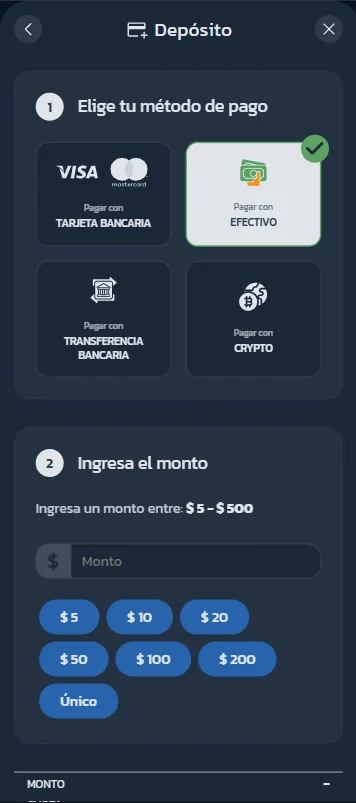
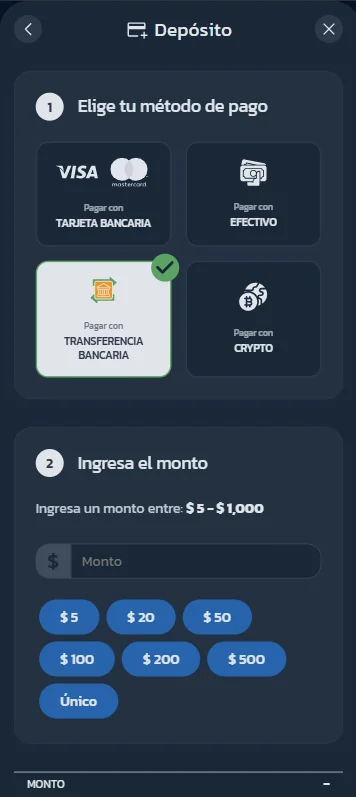
How can I make a deposit?
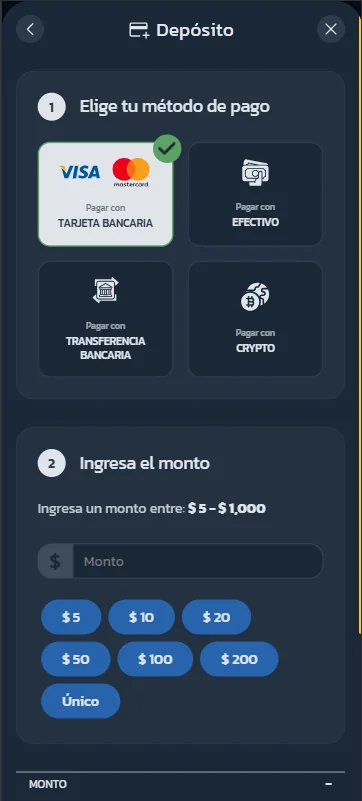
To make a deposit, click the yellow box in the top-right corner and select your preferred deposit method.
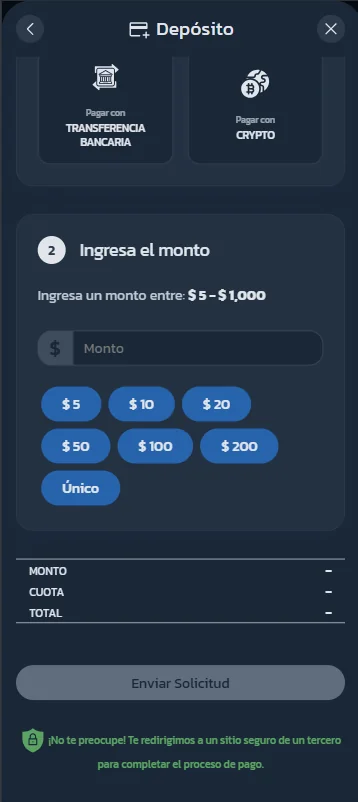
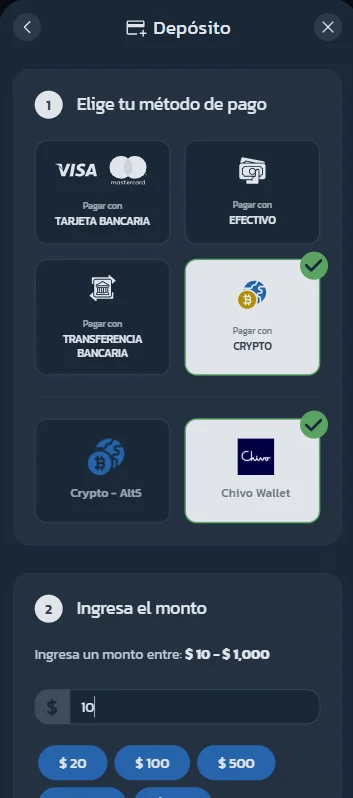
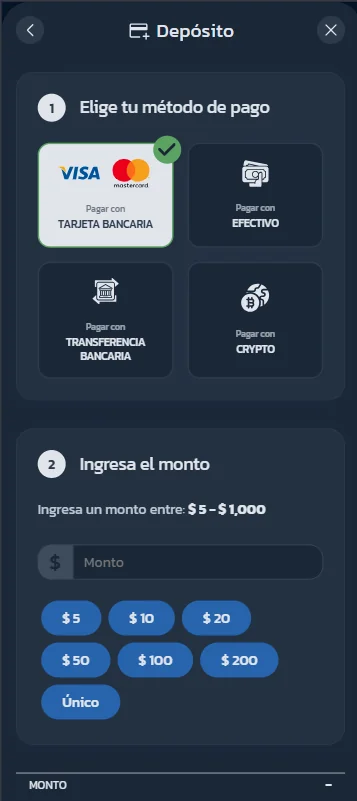
Available deposit options include Bank Card (Visa, MasterCard), Cash, Wire Transfer and Crypto.
Before making a deposit, you must upload a self-identification card.
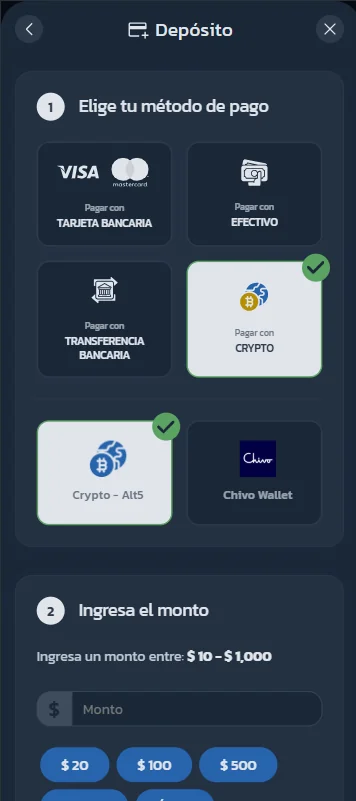
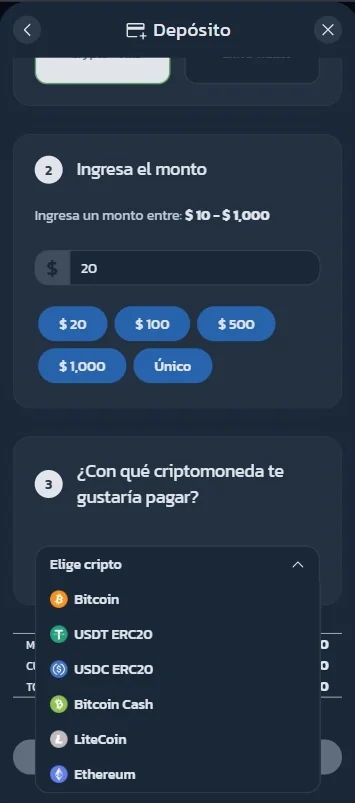
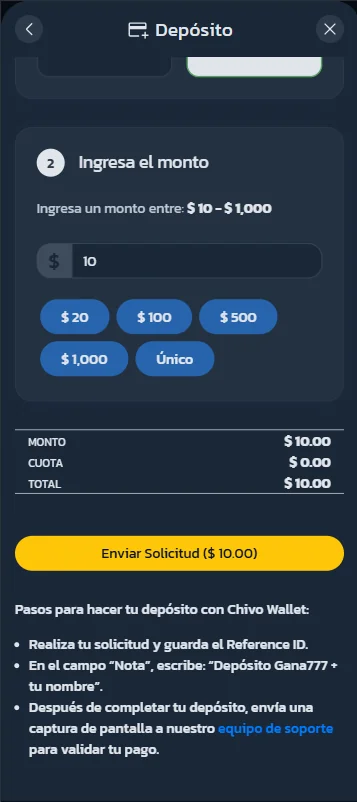
If you choose CRYPTO as the payment method, you can select Crypto-Alt5 or Chivo Wallet.
When choosing Crypto-Alt5, enter the deposit amount and select the cryptocurrency from the dropdown menu.
What are the deposit limits?
Deposit limits depend on the selected payment method:
- Bank Cards: $5 – $1,000
- Cash: $5 – $500
- Wire Transfer: $5 – $1,000
- Cryptocurrency: $10 – $1,000
Is it secure to make a debit/credit card payment?
Absolutely.
We use the advanced payment security system.
This system ensures complete privacy and protection of your personal data when processing payment transactions.
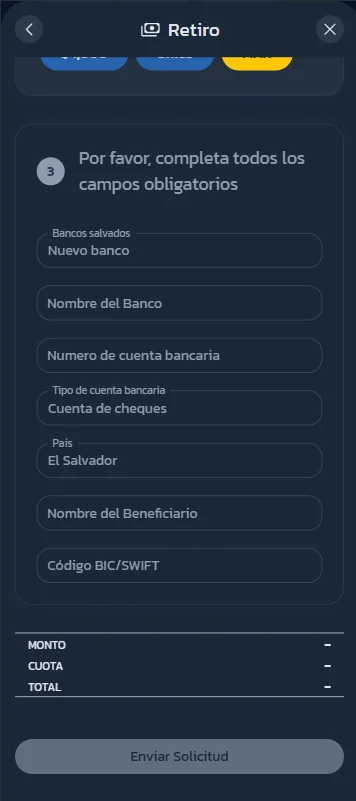
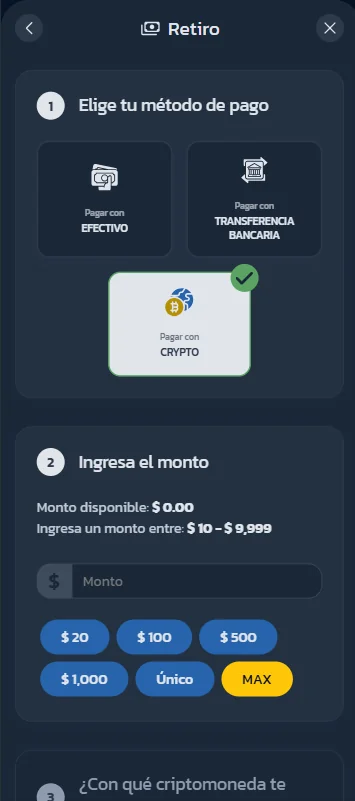
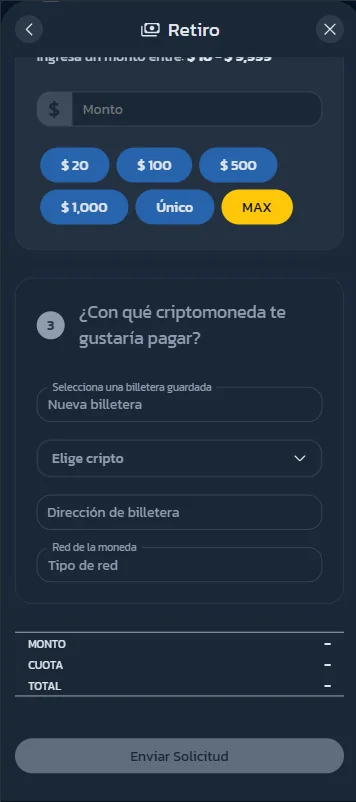
How can I withdraw my winnings from my account?
To make a withdrawal, click on the navigation menu icon in the top-right corner and select Withdrawal.
Then choose your preferred withdrawal method.
Available withdrawal options include: Cash, Wire Transfer and Crypto.
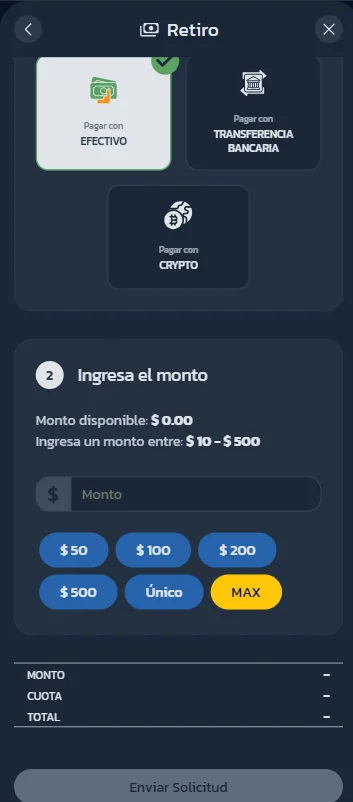
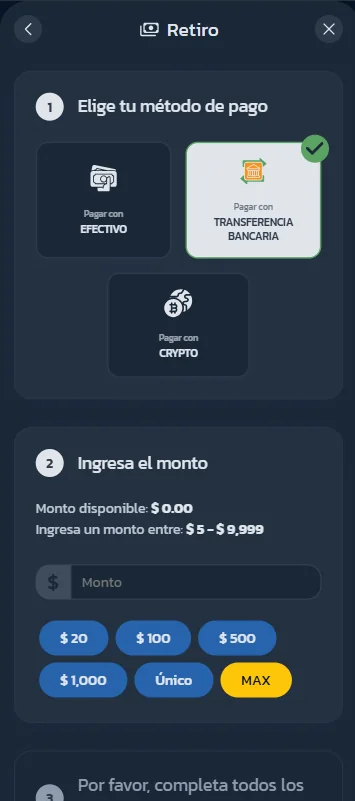
What are the withdrawal limits?
Deposit limits depend on the selected payment method:
- Bank Cards: $5 – $9,999
- Cash: $10 – $500
- Cryptocurrency: $10 – $9,999
Is verification required before withdrawal?
Yes. For security and regulatory reasons, account verification may be required before processing withdrawals.
How long do withdrawals take?
Withdrawal processing times vary depending on the selected method.
While we aim to process withdrawals as quickly as possible, additional verification checks may extend processing times.
Are there withdrawal fees?
Any applicable fees depend on the selected withdrawal method.
Details will be displayed before confirming your withdrawal request.
Bonuses
How can I claim a deposit bonus?
Deposit bonuses are available when you add funds to your account. Depending on the promotion, your deposit can be increased by a certain percentage (for example 200%, 100%, 70%, or 50%). The bonus is credited to your account and can be used for playing according to the promotion's terms and conditions.
Can I claim more than one deposit bonus?
Yes. The platform offers multiple deposit bonuses, usually for your first, second, and third deposits. Each bonus has its own percentage, maximum bonus amount, and wagering requirements.
How does the Weekly Cashback promotion work?
The Weekly Cashback promotion allows players to receive a percentage of their net losses during the week. If you experience losses while playing, you may receive cashback (for example 10%) credited to your account based on the promotion's terms.
Cashback bonus is awarded every Monday
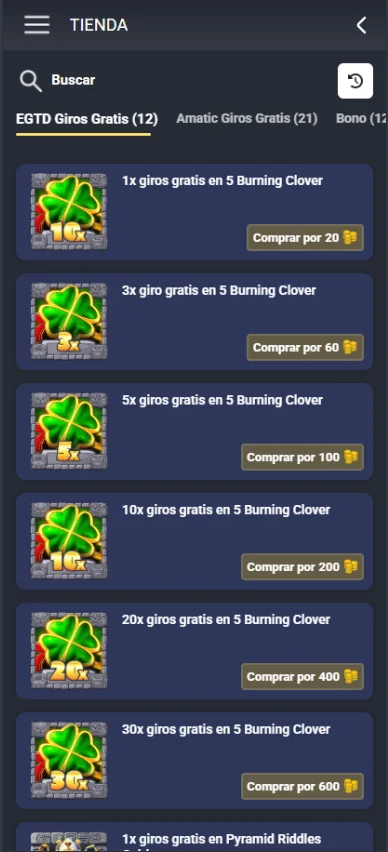
How can I claim free spins?
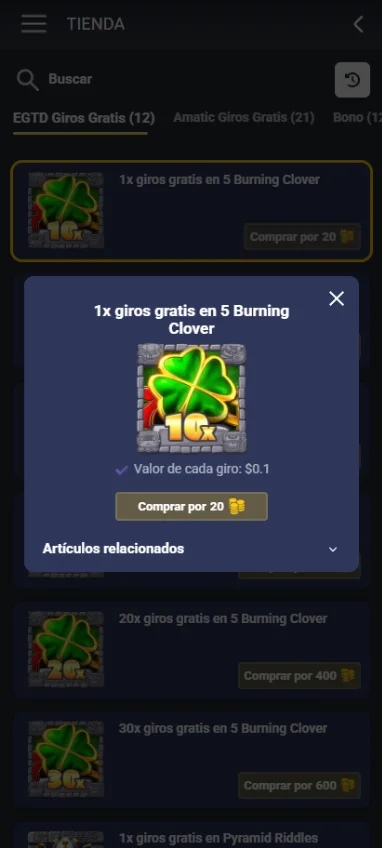
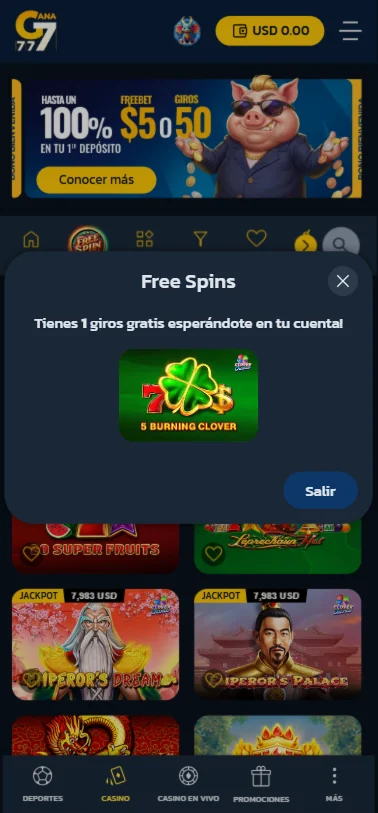
To claim Free Spins, go to the Shop section in your profile. There, you can use your Coins to purchase Free Spins for selected game providers and specific games where this option is available. Once purchased, the Free Spins will be credited to your account and can be used on the selected game.
How can I claim free bet?
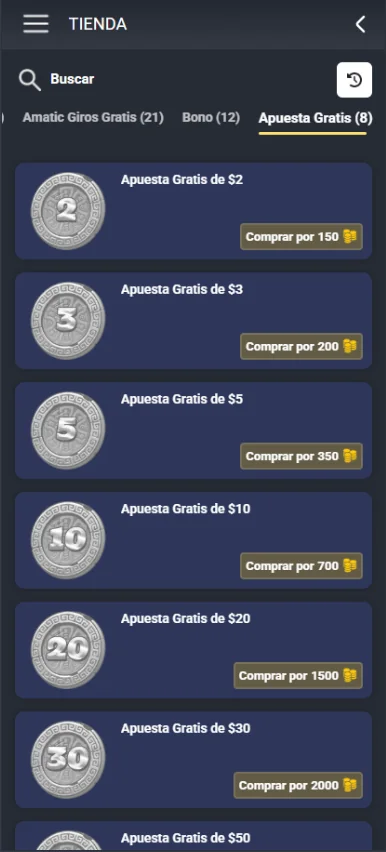
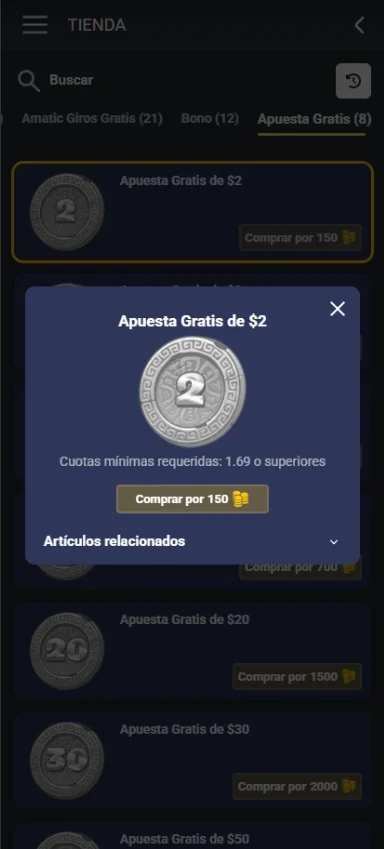
To claim a Free Bet, go to the Shop section in your profile and open the "Apuesta Gratis" (Free Bet) tab. There, you can use your Coins to select and purchase a Free Bet amount of your choice. Once purchased, the Free Bet will be credited to your account and will be available for use on eligible bets.
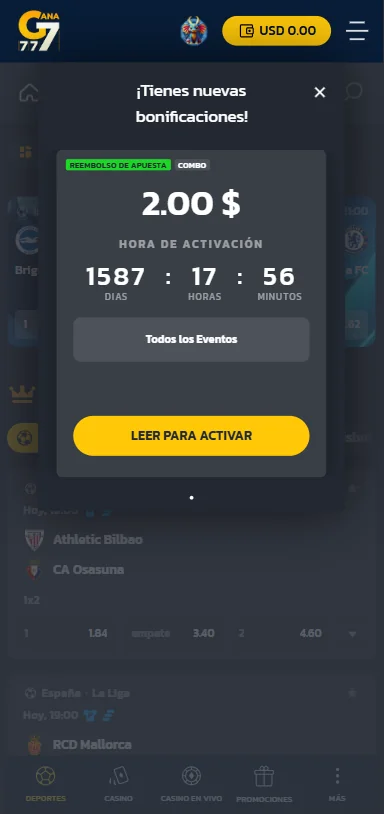
How does refer-a-friend bonus work?
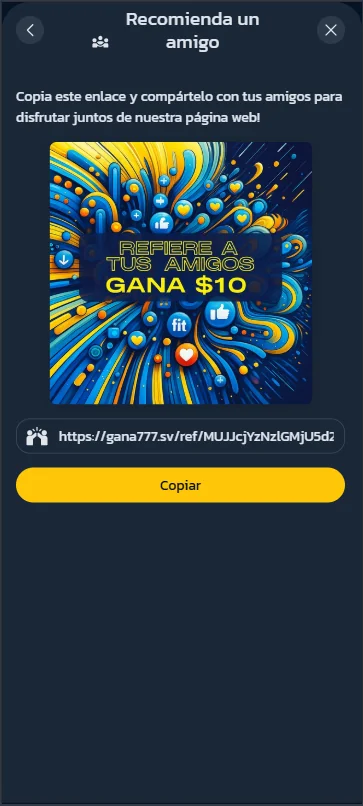
You can earn rewards by sharing your personal referral link. The referred person must register, complete the required account details, and make a minimum deposit of $10 for the bonus to be credited. Referral bonuses are awarded every Monday.
Missions & Rewards
What are Casino Missions?
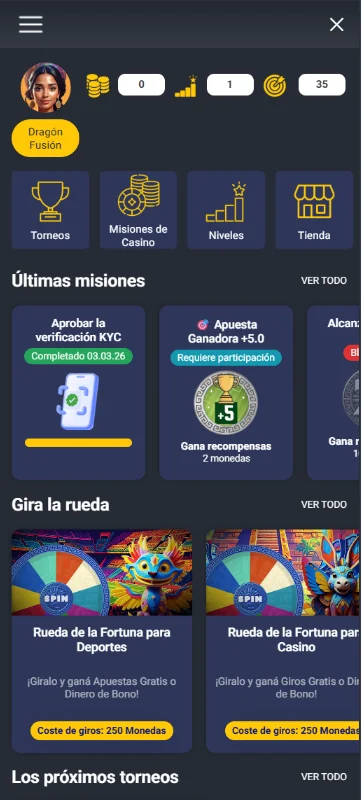
Casino Missions are in-game tasks that players can complete to earn rewards such as points, coins, or other bonuses. Missions may include deposits, logins, betting, or spinning certain games.
Do I need to opt in before completing a mission?
Some missions require opt-in before they can be completed. These missions are marked with a "REQUIRES OPT-IN" label, so make sure to activate them first.
Can missions be completed more than once?
Some missions appear as one-time tasks, while others may be part of ongoing challenges or repeatable activities. The mission details will show whether it is available, locked, or completed.
How do I earn rewards from missions?
You can earn rewards by completing missions shown in the Casino Missions section. Each mission has its own requirement, and the reward is credited once the mission conditions are fulfilled.
How do levels work in the mission system?
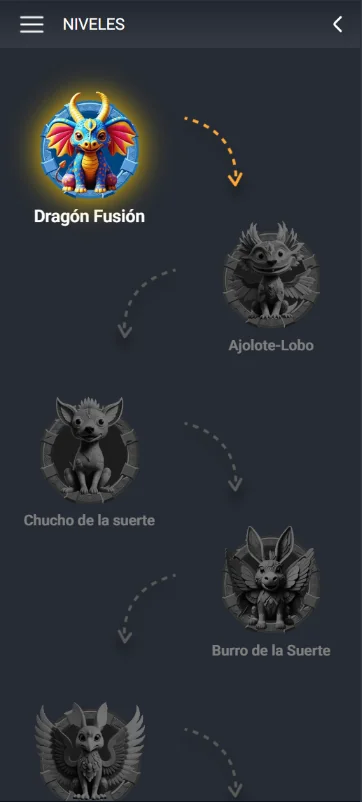
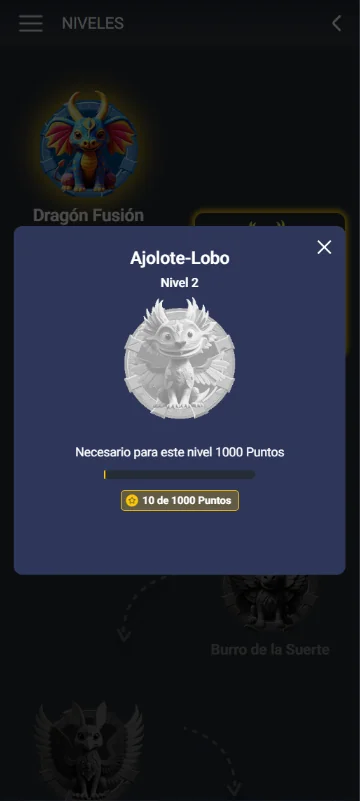
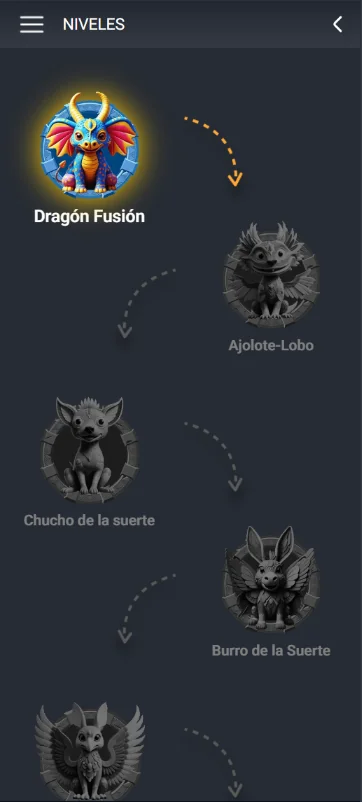
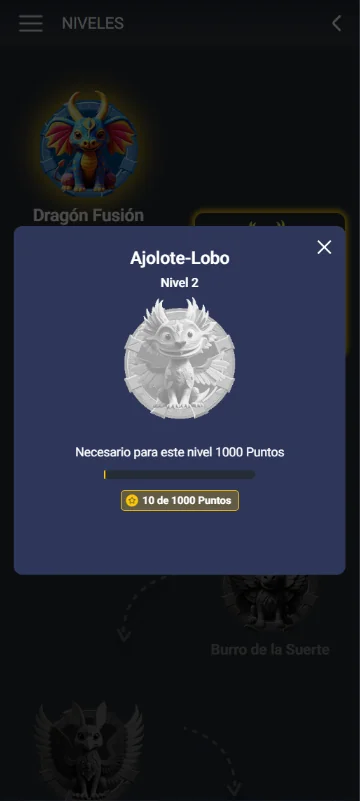
By completing missions and earning points, you can level up. Higher levels unlock new progress and may bring you closer to the next reward tier.
What happens if I don't finish a mission before it ends?
The mission will move to "Perdidas/Lost" or "Expired" and you'll forfeit its reward. Some missions may allow re-entry in future promotions.
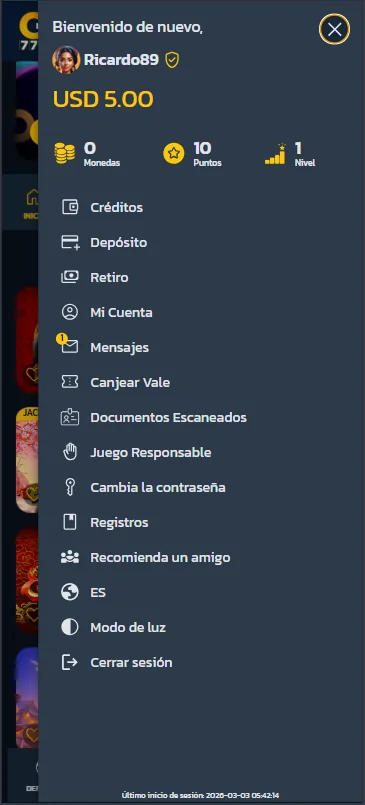
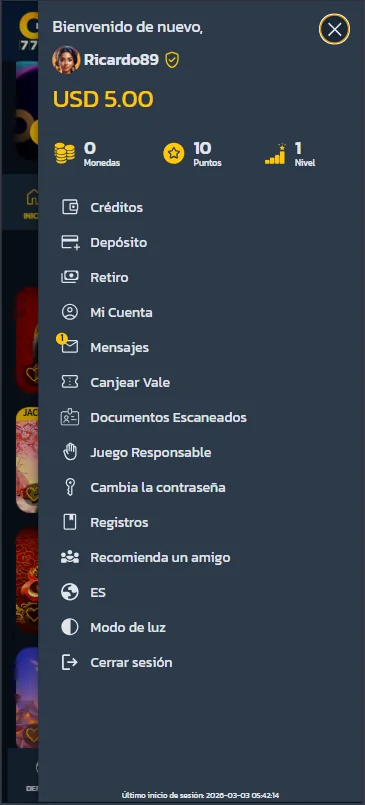
What do "Monedas", "Puntos", and "Nivel" mean?
Monedas (Coins) represent the virtual currency used within the casino platform. Players can collect and use coins to place bets, unlock features, or access specific games and promotions. These coins may not represent real money unless explicitly stated.
Puntos (Points) are reward points earned through gameplay and participation in promotions. The more you play, the more points you accumulate. Points may contribute to bonuses, rewards, or progression within the platform.
Nivel (Level) refers to your player level or status. As you earn points and remain active, you can move up to higher levels. Advancing to a higher level may unlock additional benefits, exclusive offers, or special promotions.
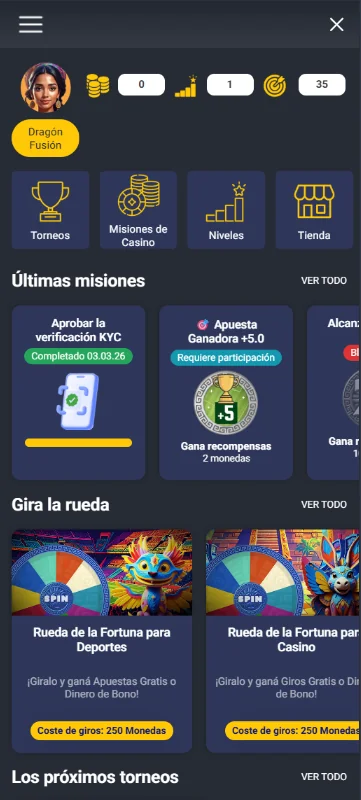
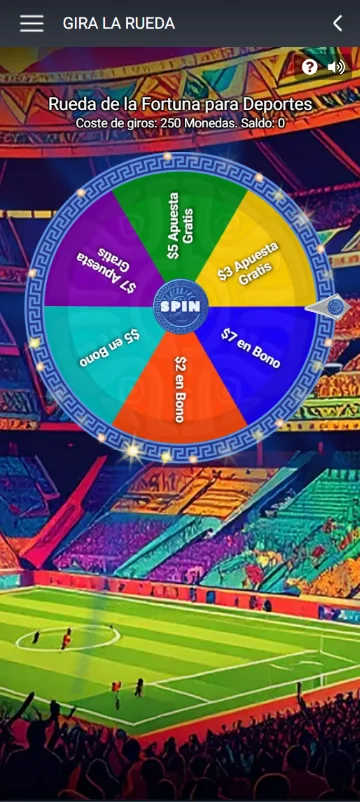
How does the "Wheel" work and how much does it cost?
The "Wheel" (Rueda de la Fortuna) is a spin mechanic that grants free bets or bonuses. The screenshot shows the spin cost is 250 Coins per spin.
Where can I find full mission rules and eligibility?
Open the mission's "Details" or "View details" link — it lists exact requirements, eligible games, timeframes, and any wagering or withdrawal rules.
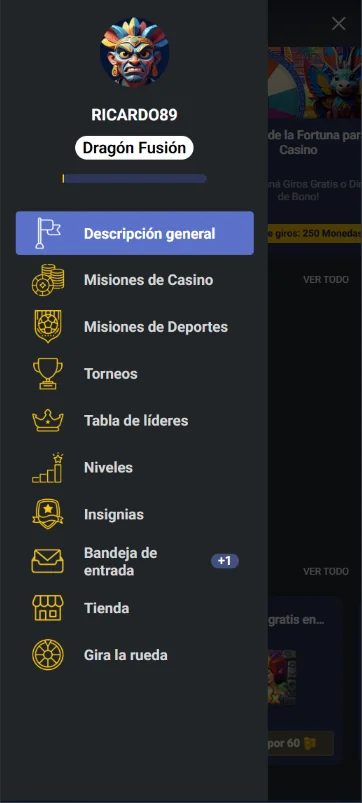
- General Description: An overview of your profile, progress, rewards, and current activity.
- Casino Missions: Lists all available and active casino-related missions where you can earn Points, Coins, or bonuses by completing specific tasks.
- Sports Missions: Displays missions related to sports betting, such as placing qualifying bets or reaching wagering targets.
- Tournaments: Shows active and upcoming competitions where players can compete for prizes based on performance.
- Leaderboard: Displays player rankings based on points, winnings, or tournament results.
- Levels: Shows your current level, progression status, and benefits unlocked at each level.
- Badges (Insignias): Displays achievements and special badges earned by completing milestones or special challenges.
- Inbox (Bandeja de entrada): Contains messages, bonus notifications, reward confirmations, and important account updates.
- Shop (Tienda): Allows you to purchase bonuses, spins, or special items using Coins or Points.
- Spin the Wheel (Gira la rueda): Access the bonus wheel feature where you can spend Coins to spin and win rewards.
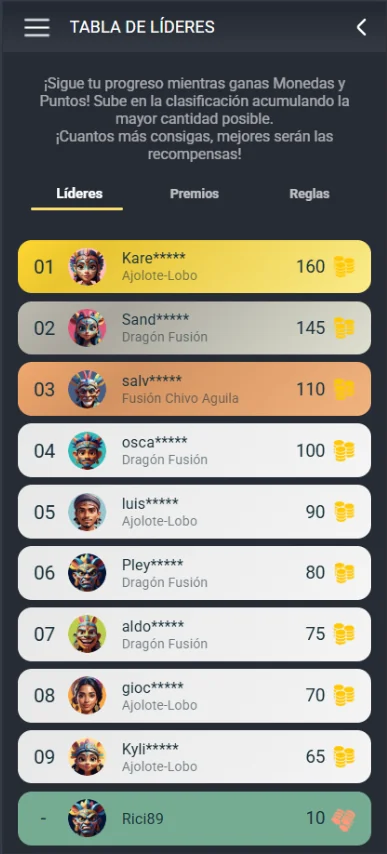
What is the leaderboard?
The leaderboard shows the top players based on the total points they collect during the competition period. The more points you earn, the higher your position in the ranking.
How do I earn points for the leaderboard?
You earn points by playing games and accumulating activity on the platform. The points you collect contribute to your leaderboard position.
Which games count toward the leaderboard?
Points can be earned by playing most games on the platform, except for Crash games, which are excluded from leaderboard point collection.
When does the leaderboard reset?
The leaderboard resets every Monday, so rankings are refreshed at the start of each new competition period.
How are players ranked on the leaderboard?
Players are ranked according to the total number of points they have accumulated during the active leaderboard period. The player with the highest total is ranked first.
What rewards can I win on the leaderboard?
The top-ranking players receive rewards based on their final position. For example, the 1st, 2nd, and 3rd places receive different prize amounts shown in the leaderboard rewards section.
How often is the leaderboard updated?
The leaderboard updates instantly, so your position may change as soon as new points are added.
Can I be removed from the leaderboard?
Yes. Any abuse or manipulation of the system may result in disqualification from the leaderboard.
Sports Betting
What is an Odd?
Odds are numerical indicators that show the value of a bet and, consequently, the potential profit. Every bet has associated odds. These odds represent the figure you place your bet on and determine your winnings if your prediction is correct.
Why does the Odds change?
Odds change according to the probability of a sports event. The more likely an outcome is to occur, the lower the odds will be, and vice versa. If any circumstance arises that may affect the outcome of a match, the odds may change accordingly.
How to place bets?
Click on the Sports tab located in the top-left corner. Select the sport you wish to bet on, choose the league, and then select your preferred outcomes for the match.
Can I cancel a bet?
No. Once a bet has been accepted, it is final and cannot be canceled.
How long till my bet is settled?
Our goal is to ensure that you receive the final outcome of your bet as quickly as possible.
However, certain bet types may require additional time before the result is confirmed as official.
What happens if the event I have bet on is suspended or postponed?
Different regulations may apply depending on the sport. We recommend reviewing our General Terms and Conditions or contacting our Customer Service team for more information.
Responsible Gaming
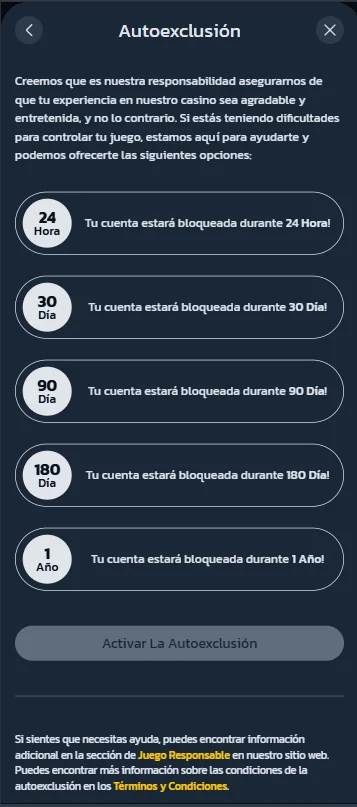
How can I take a break or self-exclude?
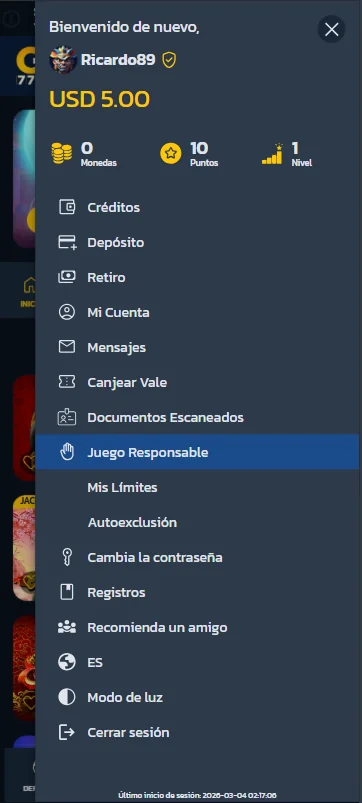
To take a break or self-exclude, click on the navigation menu icon in the top-right corner of the page. Select Responsible Gaming, then choose Self-Exclusion and specify the period for which you wish to exclude yourself.
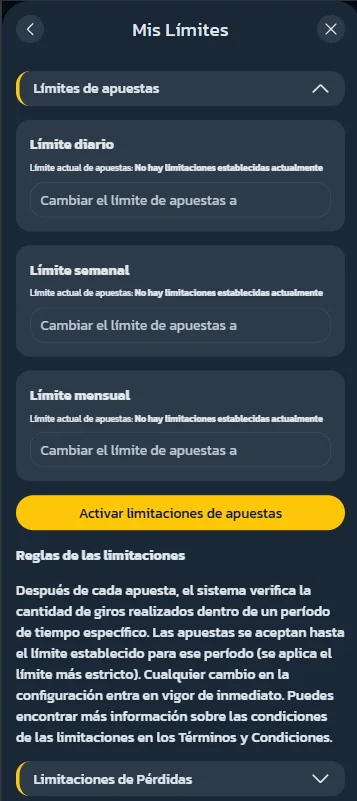
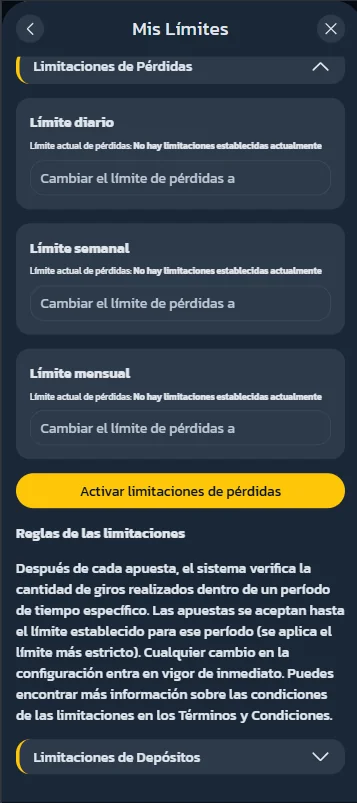
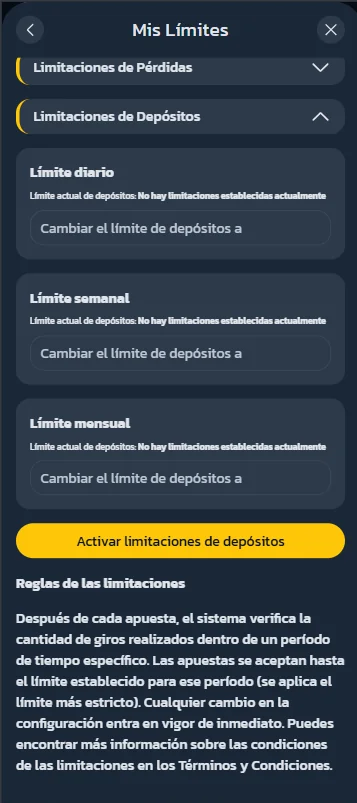
How can I set deposit or loss limits?
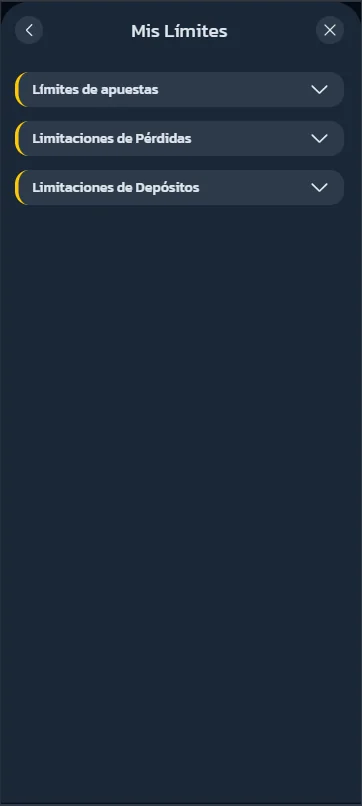
To set deposit or loss limits, click on the navigation menu icon in the top-right corner of the page. Select Responsible Gaming, then choose My Limits there you can choose which limits you want to set.
You can set Bet limits, Losses limitations, Deposit limitations.
How can I track the activity on my account?
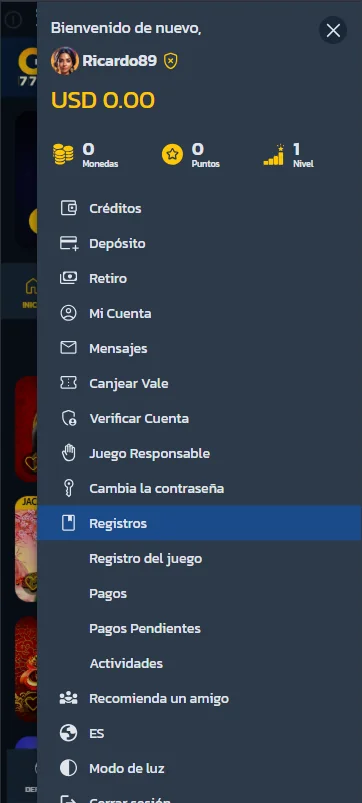
To track the activity on your account, click on the navigation menu icon in the top-right corner of the page.
Click the Logs button and then select which type of activity you want to see. In logs you can see Game log, Payments, Pending Payments and Activities.
Official sponsor


Payment Methods


